How to Onboard a Source
Monarch includes a source onboarding agent to quickly configure a source and generate a starter data mapping. Once run, it leaves draft outputs on disk for human review (i.e. it does not auto-promote the generated files into the live product). After review, the developer can move the files into the correct project folders.
Prerequisites
- A valid key/token for Claude Code or Codex
- Ensure the proper environment variables are set before starting up the agent docker containers
Currently, the Monarch agent supports the following backends:
- Claude Code
- Codex
And the following auth paths:
- Bedrock env such as:
CLAUDE_CODE_USE_BEDROCKAWS_BEARER_TOKEN_BEDROCKAWS_REGION- or AWS access key material
ANTHROPIC_API_KEYOPENAI_API_KEY
Claude via Bedrock
Use this environment configuration when you want Claude with Bedrock:
unset ANTHROPIC_API_KEY

export CLAUDE_CODE_USE_BEDROCK=1
export AWS_BEARER_TOKEN_BEDROCK='REPLACE_ME'
export AWS_REGION='YOUR_REGION'

unset AWS_ACCESS_KEY_ID
unset AWS_SECRET_ACCESS_KEY
unset AWS_SESSION_TOKEN
Claude direct via Anthropic
Use this environment configuration when you want Claude without Bedrock:
export ANTHROPIC_API_KEY='REPLACE_ME'

unset CLAUDE_CODE_USE_BEDROCK
unset AWS_BEARER_TOKEN_BEDROCK
unset AWS_REGION
unset AWS_ACCESS_KEY_ID
unset AWS_SECRET_ACCESS_KEY
unset AWS_SESSION_TOKEN
Codex
Use this environment configuration when you want to use Codex:
export OPENAI_API_KEY='REPLACE_ME'
Process
- Create a schema to house the raw data and load that data into tables
- Run DAG 01_onboard_source, providing the schema from step one as the "Source Schema" parameter
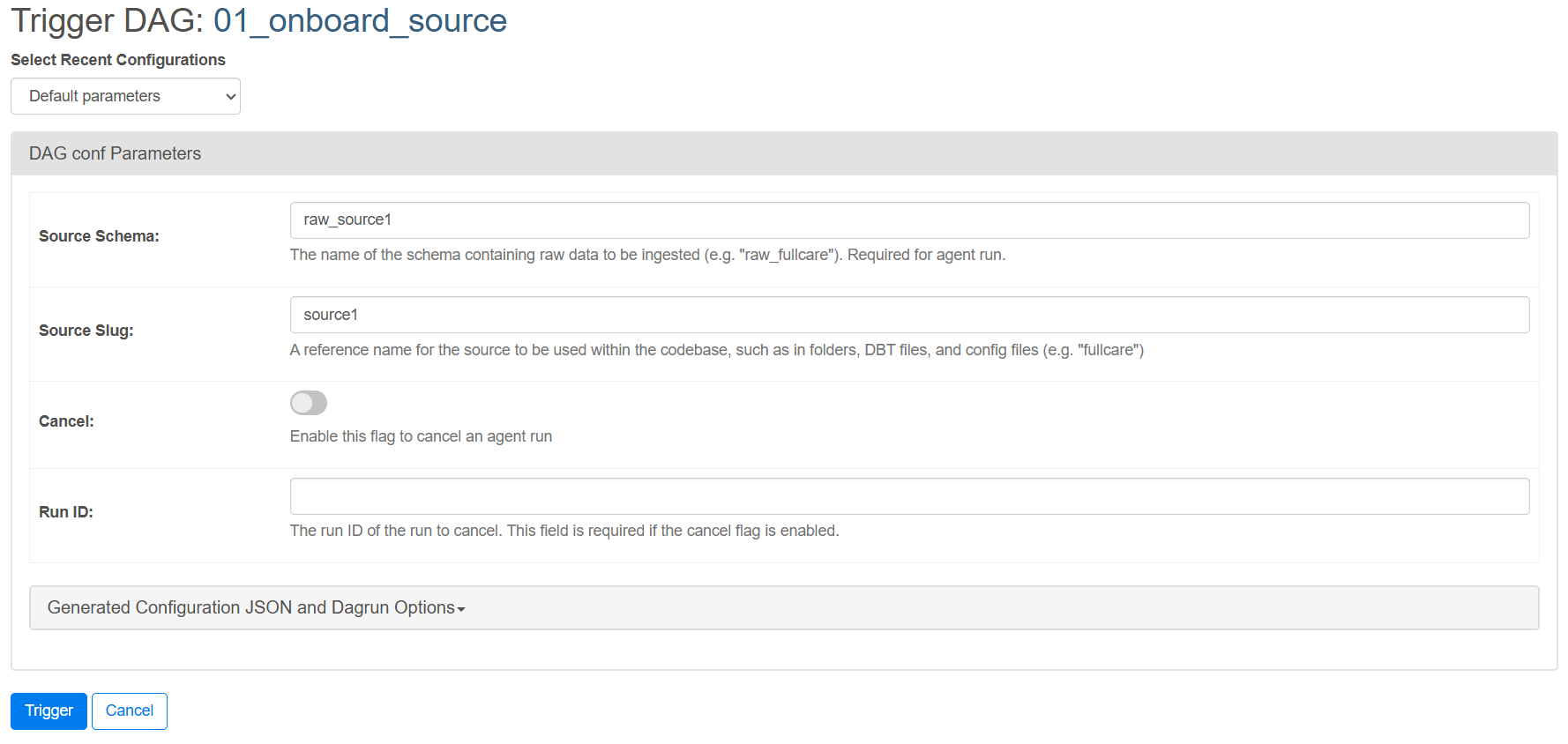
- During the run, the logs will show a
run_id. This id refers to the iteration of the agent run and all outputs of the run will live in thecustom/source-onboarding-runs/{run_id}directory.- Note: This run can take anywhere from 20-45 minutes. The DAG will keep polling until the run completes.
- Although the agent will run the evaluation as part of its process, the DAG runs the evaulation again to output the result in airflow.
- Once the DAG run is complete, visit the
src/custom/source-onboarding-runs/{run_id}/onboardingdirectory to view configs, copy_scripts, the transformation dbt project, and additional notes. Additionally, the agent will rundbt transformas part of its process so you can view the resulting tables directly in the database. - Review the files and copy them into their corresponding folders. At this point the onboarding is complete and you can proceed with other Monarch steps.
Cancelling a Run
- Make a note of the
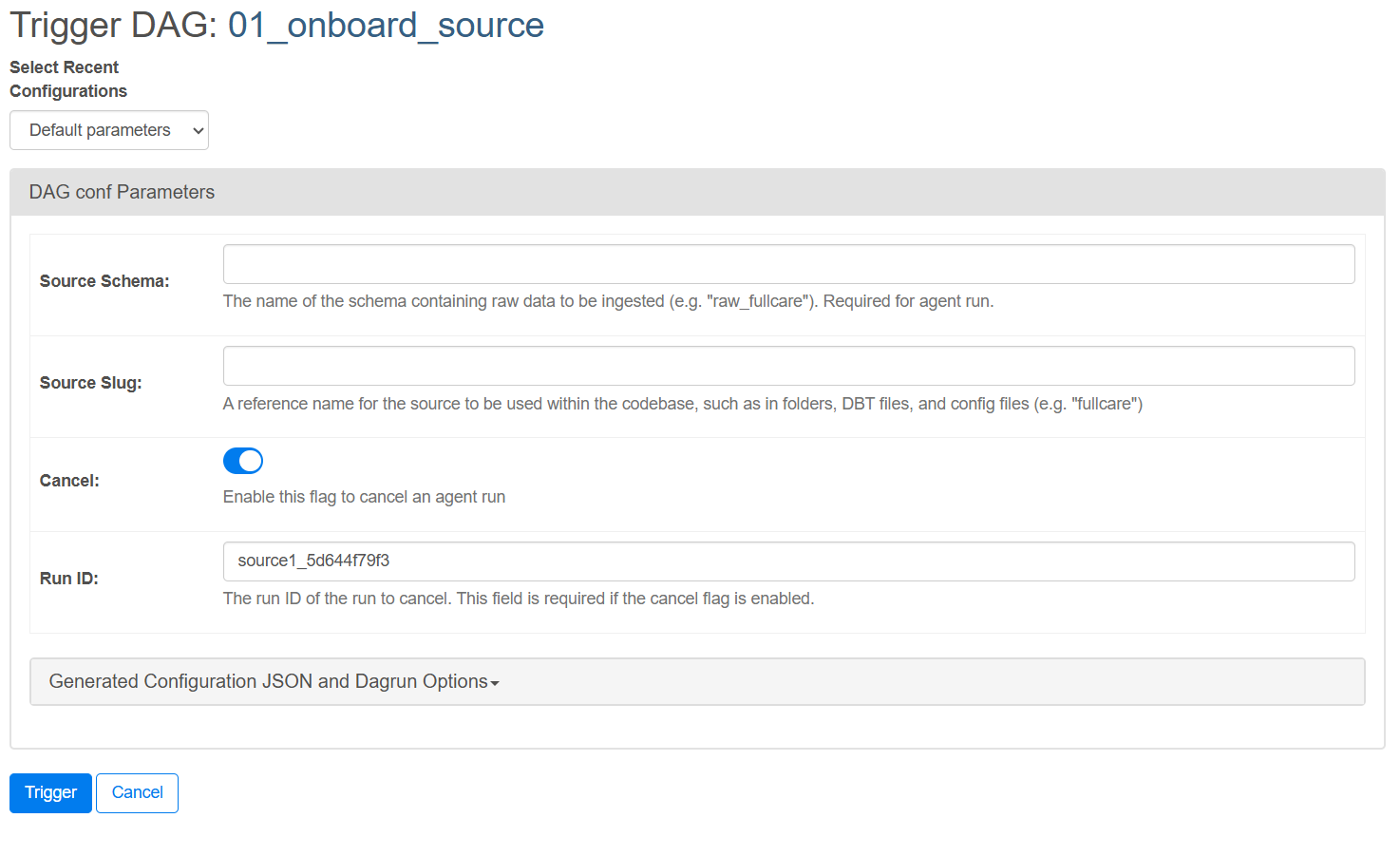
run_idfrom the active run. You can find it in the logs of thestart_agent_runorpoll_agent_runtask - Mark the
poll_agent_runtask as failed to stop the DAG - Trigger DAG 01_onboard_source again, but this time enable the "Cancel" flag and fill out the "Run ID"
- The DAG will cancel the run
Further Reading
For more in-depth information, see the operator_docs in the codebase.