Data Load Config
Overview
To ensure a successful data load, the object, object_field, and lookup configurations in the Monarch_config schema must be set up correctly.
Objects
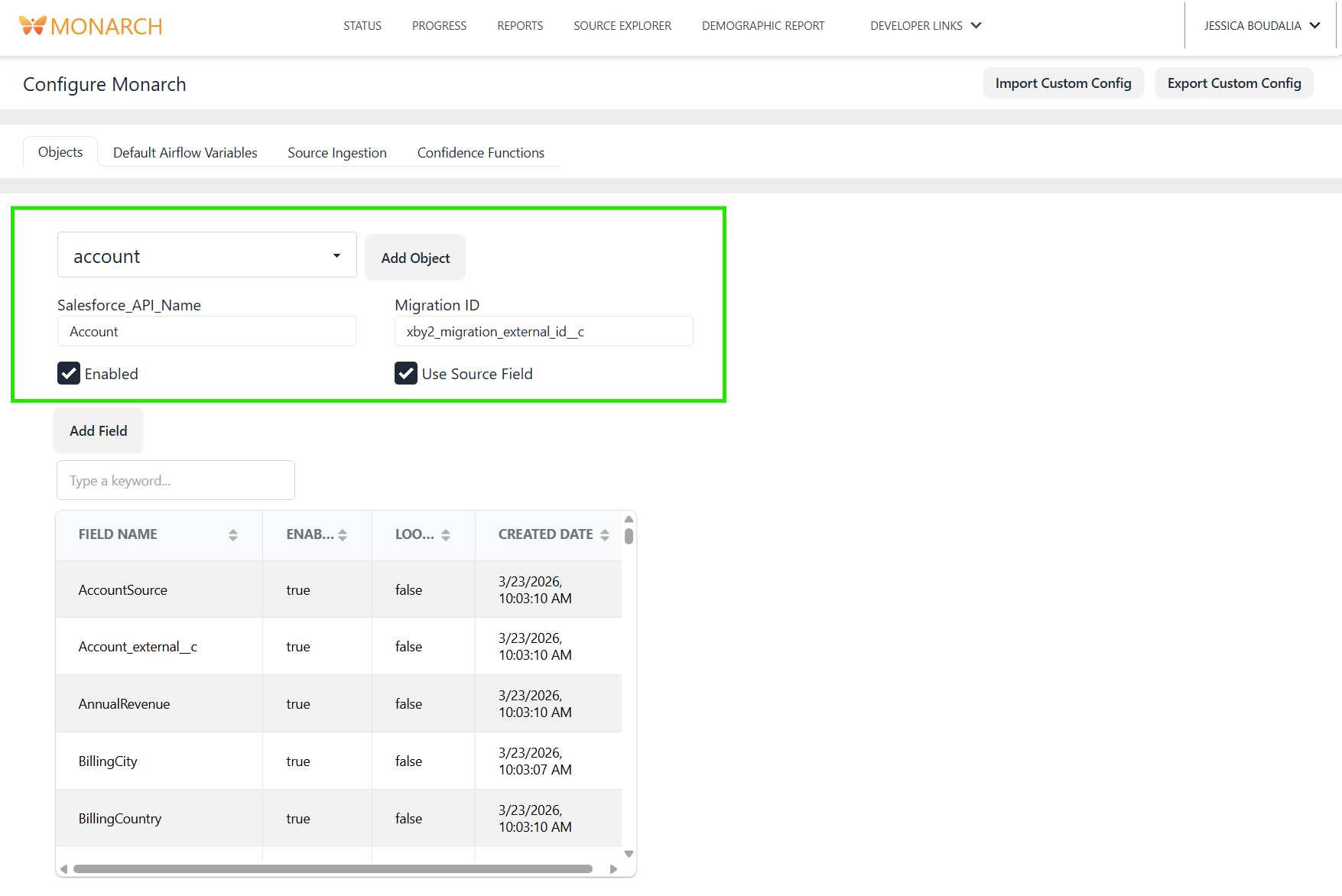
A core data model in the internal database to load to Salesforce
Fields
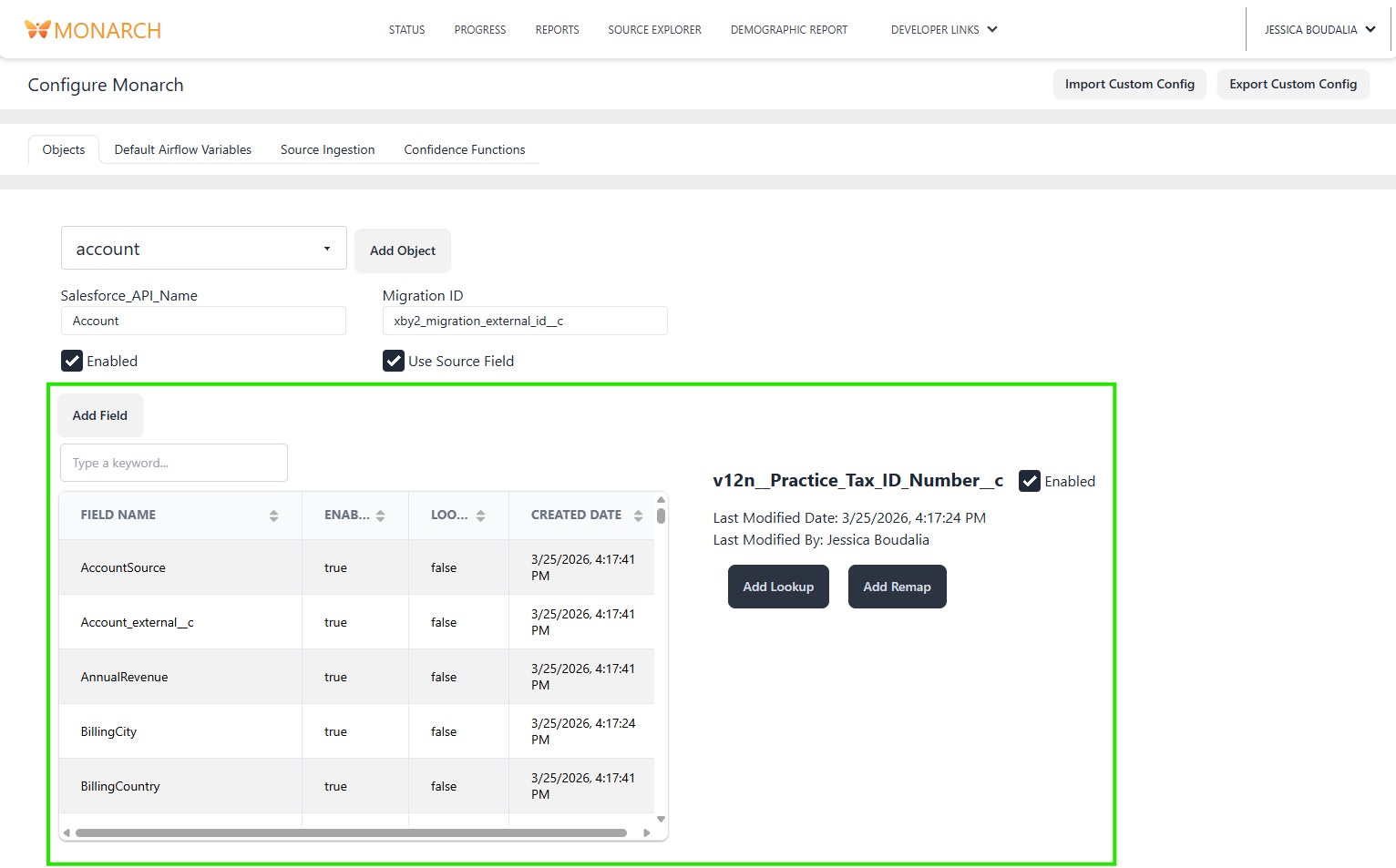
A column in an object table
Lookups
An extension of a field, representing that the field is a foreign key to another object
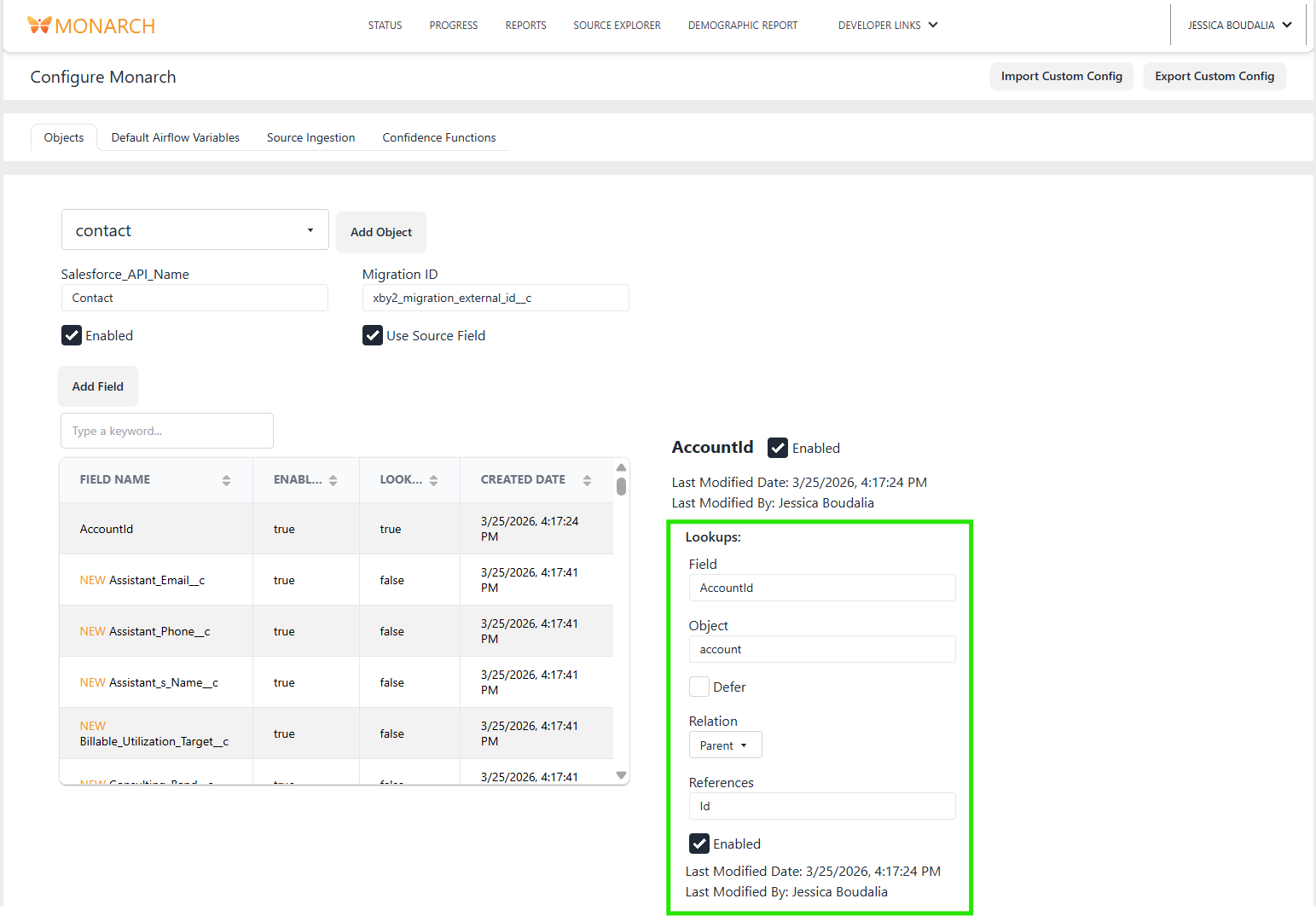 In order to upload linked entities, you must use the
 lookup configuration to mark that field as a key. In the above example, a Contact record is linked to an Account record via the AccountId field.
Relation
In each lookup the user can add an attribute called "relation" which will determine which direction the foreign key relationship should be traversed in for Smart Copy and Smart Delete. If the relation attribute is Child, it will be traversed from the current entity to the linked entitity. If the relation attribute is Parent it will be traversed from the linked entity to the current entity. If the relation is missing, it's treated as Child. There is a third relation called Self which is explain in the Defer section below.
In the above example, the Contact's AccountId lookup has a relation attribute of Parent. This means the traversal will go from Account (the linked entity) to Contact (the current enitity).
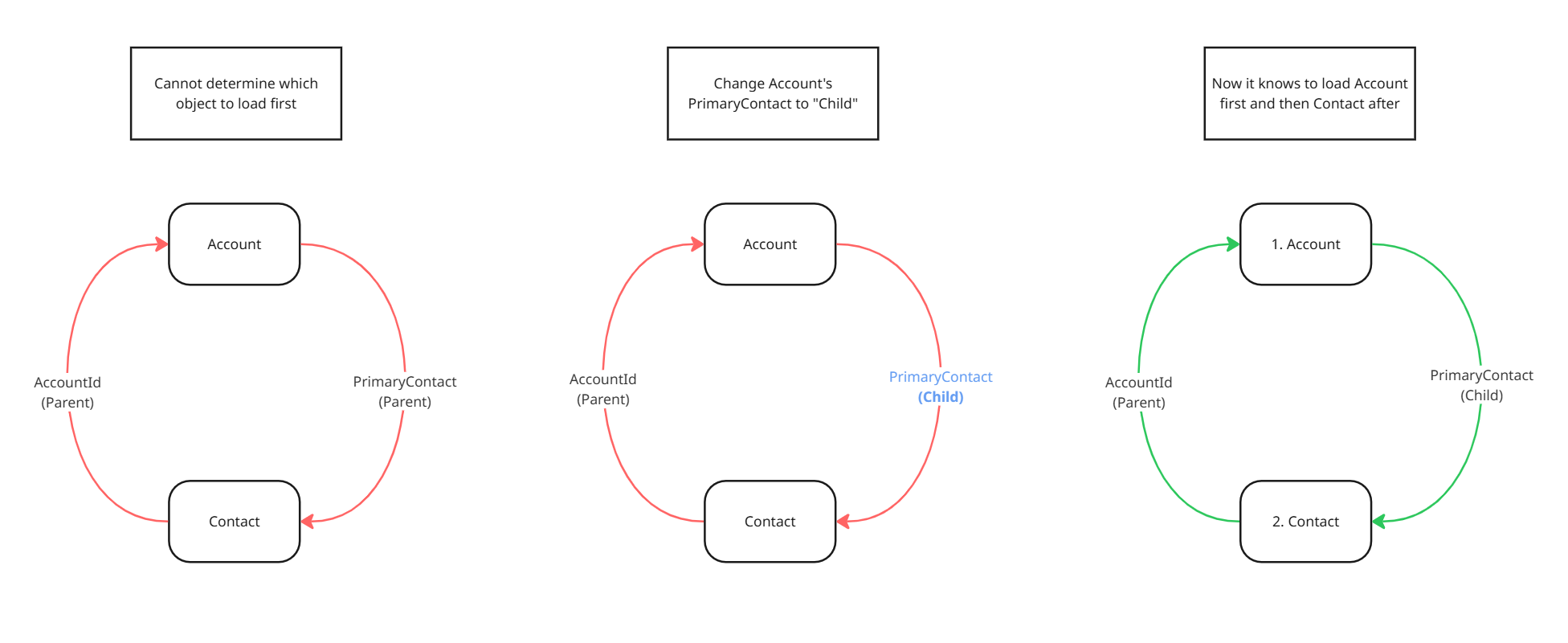
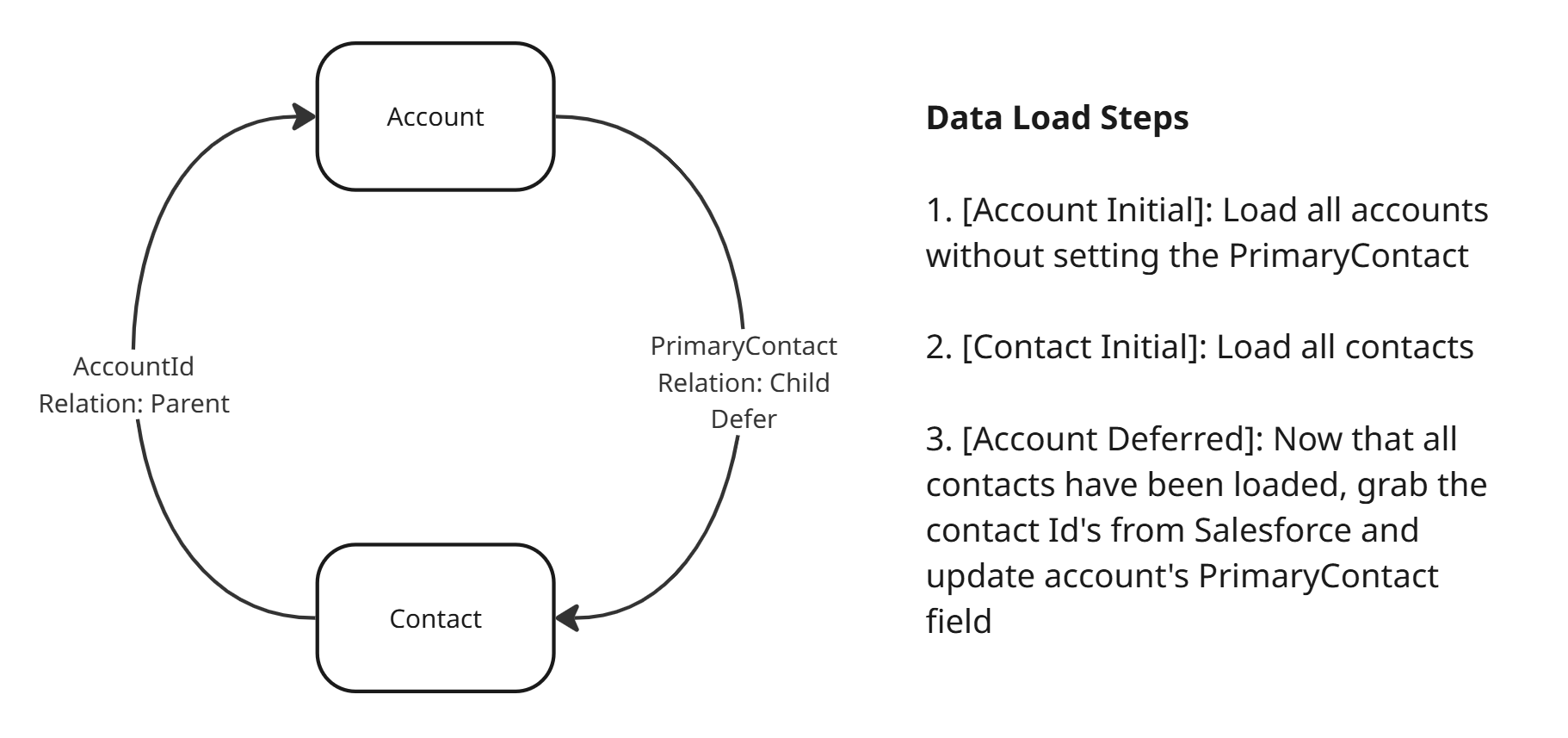
Pay special attention to when entities link together to form a "cycle". In the following example, Account has a lookup called PrimaryContact to Contact, while Contact has a lookup to account called AccountId. If both are set with Parent relations, Monarch won't know which object to traverse first. Resolve this by changing one of them to Child (in this case, PrimaryContact). Now Monarch knows to first load Account and then load Contact.
Defer
Additionally, lookups include a defer attribute to indicate that the field must be loaded to Salesforce after the linked entity has been loaded. It's important to note that defer fields cannot be nullable in Salesforce.
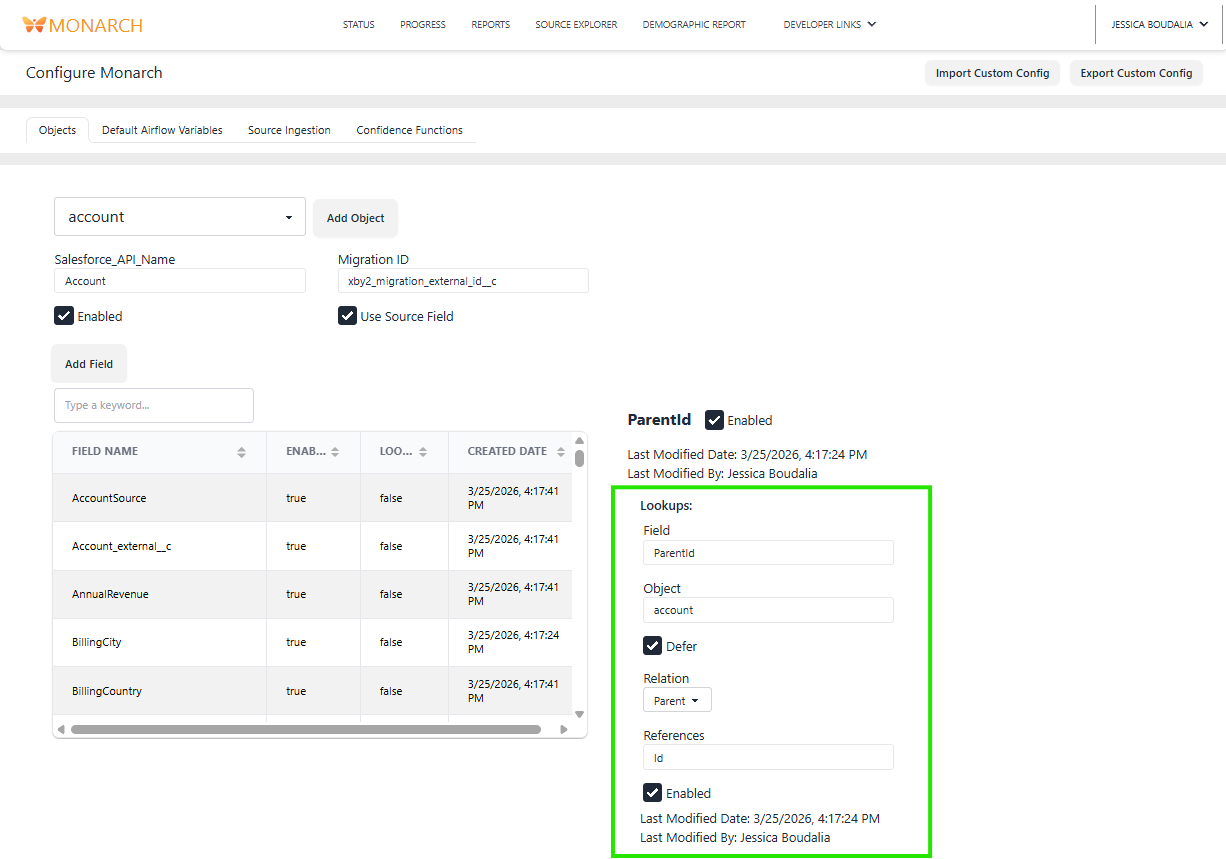
There are three types of deferred relationships: Parent, Child, and Self. Parent and Child relationships indicate that the field is a foreign keys to another record, so it will be updated once that other record has been loaded rather than as part of the initial object load. Self relationships indicate that the field belongs to the current record but needs to be updated at a later step.
Here are a few examples:
Parent
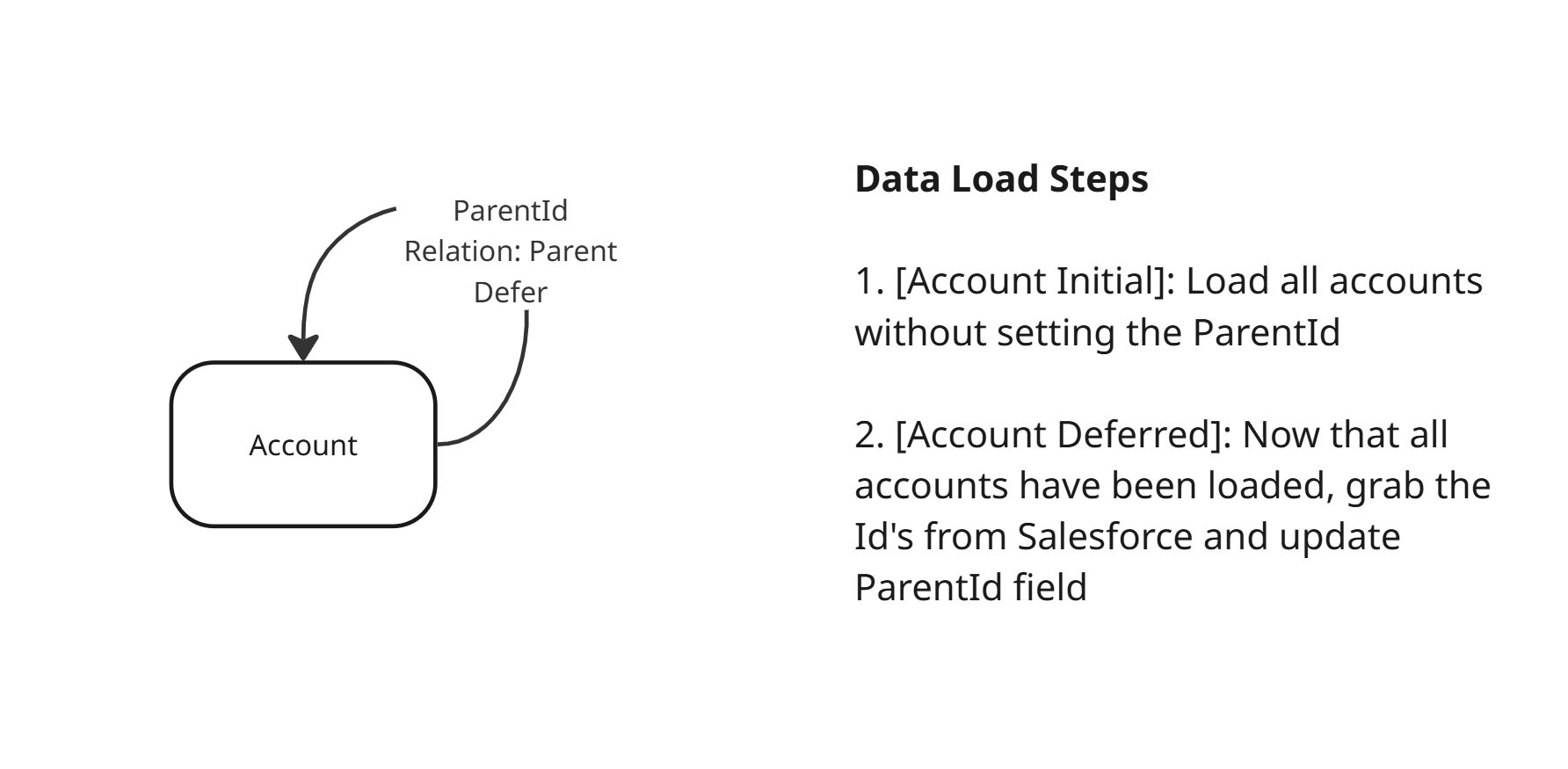
At the time of loading an Account, we can't guarantee that Salesforce has already loaded its parent account. By deferring the ParentId field, we can just update it after all accounts have been loaded.
Child
Since Contact has been configured to be traversed after Account, Account objects will be loaded first. This means we don't have the PrimaryContact information at the time of the initial Account load. We defer the PrimaryContact field to be updated after Contact objects have been loaded.
Self
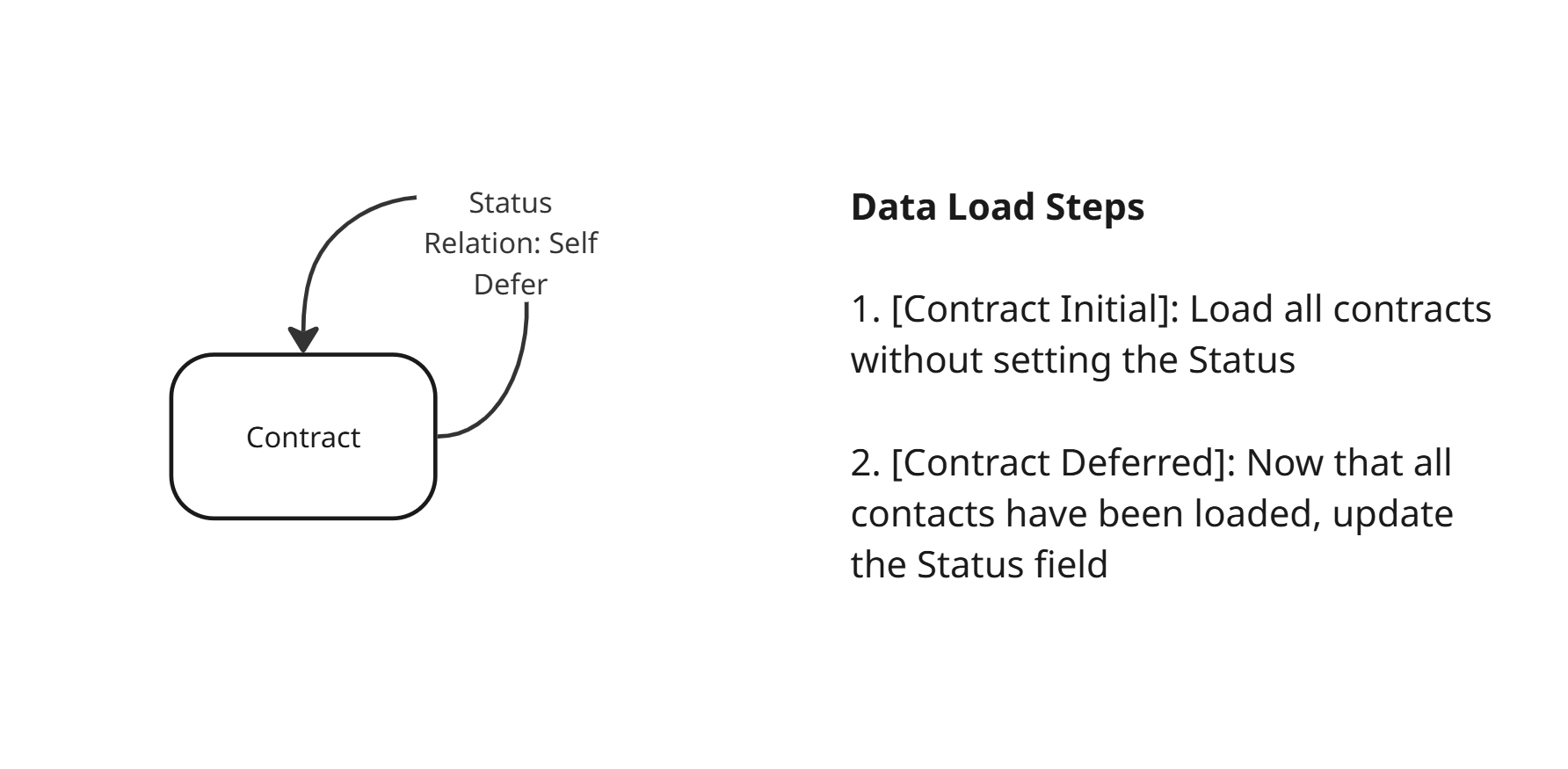
Salesforce has a rule where Contracts are automatically assigned the "New" status upon creation, meaning we can't set it during the initial load. We update it during the deferred load step.
Related Articles
For more in-depth dev notes and recommendations, see Data Load Config Dev