Custom Reporting
After creating a custom transform process, we may want to create custom reports based on the data we've imported. This document describes the process for doing so.
Overview
Monarch uses config files to automatically copy custom tests or models into the custom_reports schema, which the UI can ingest and display for each source.
The high level steps are
- Create your dbt tests / models with the columns Monarch requires
- Run your dbt transforms/tests
- Set up the config tables -
report_masterandtest_to_report_mapping - Run DAG 05_generate_and_export_reports
1. and 2. Creating and Running DBT Tests
In your custom dbt package (custom/dbt/<dbt-name>) create your desired tests in the test folder (or however else desired). Ensure that you are testing data in the transform schema, since these tests should be run right after your data is moved into the transform schema (before it is moved into landing). Your tests should return all the rows in your data that fail the test (ie, if you want to confirm that there are no null names in your account table, you should query for all rows with null names. The test will pass if zero rows are returned). The file for your test can be named anything, but most tests are in this format:
Sample test
This test fails if the account name contains any instances of the letter "a".
select
    -- Informative column for the test
    a.name,
    -- Required columns for custom_reports
    a.id,
    a.source,
    a.source_id,
    concat("Account ", a.id, " contains the letter a") as message
from custom_transform.account a
where a.name LIKE '%a%'
You must include the following data in your table for Monarch to parse it for custom_reports. The columns can be named what's listed below (what Monarch looks for by default) or they can be named something else. In the latter case, the corresponding override fields in the config must be populated. See the test_to_report_mapping config section below for more details.
id- the record's Idsource- the source of the data, matching one of the sources in thesource_ingestionconfigsource_id- thesource_idcolumn from the data table
We recommend including this data as well. These need to be specified as column overrides in test_to_report_mapping since Monarch defaults to preset values rather than these column names.
error_type- sometimes referred to aserror_code. It's a high level name for the error (e.g. "Contact with inactive NPI" or "Account specialty invalid picklist value"). Override witherror_type_override_colmessage- sometimes referred to aserror_detail. It's a quick description of the error itself, sometimes containing the problematic record's Id. Override withmessage_override_col
Running Tests
At the end of your transform dag, add a task that runs your tests
    transform_dbt_test = DBTOperator(
        task_id="<name_of_the_test_task_here>",
        command="test",
        profile_dir=f"{dag_absolute_path}/custom/dbt",
        project_dir=f"{dag_absolute_path}/custom/dbt/<dbt_folder_name_here>",
    )
3. Setting Up Configuration Tables
Table Schema
These are the Monarch Config tables used for custom reporting:
monarch_config.test_to_report_mapping
- Defines which test's data should populate which report generated by DAG 05_generate_and_export_reports.
- Required Columns:
report_name- The name of the report. This will be both the table name in the db schema as well as what will show up on the UI (e.g. pga_with_no_locations)report_schema_name- the name of the schema where this report will go (e.g. custom_reports)test_schema_name- the schema where the custom test is (e.g. assert_pga_has_location)table_name- which custom test to import for this report (e.g. samplecare_dbt_test__audit)
- Recommended Columns:
default_error_level- The default value for the error level iferror_level_override_colisn't set. Set this to "Warning" or "Error"default_error_type- The default value for the error type iferror_type_override_colisn't setdefault_message- Description to populate the "Error Details" column on the report screen ifmessage_override_colisn't setrecommended_fix- Set this to "Business Review", "Business Fix", "IT Fix", or "Not An Issue"
- Override Columns - If your table has a column that functions as one of these columns but is named something else, you can put the name of the column in this config
error_type_override_col- another way to name the report. Defaults to the value oftable_namein this configmessage_override_col- the description of the error. Defaults to the value ofdefault_messagein this configrecommended_fix_override- "Business Review", "Business Fix", "IT Fix", or "Not An Issue". Defaults to the value ofrecommended_fixin this configsourceid_col_override- Monarch expects this column to exist in the test and will look forsource_idby defaultsource_col_override- Monarch expects this column to exist in the test and will look forsourceby defaultid_col_override- Monarch expects this column to exist in the test and will look foridby default
- Other Columns
source_explorer_index_source- Corresponds to one of the configured sources for source explorer (e.g.LandedorMerged). Defaults toMergedif omittedpass_threshold- Decimal representation of percentage of passing records to consider this a passing test (e.g. 0.90 means at least 90% of records must succeed). Internally Monarch defaults this to 0.95score_weight- Integer representing how much to weigh this test when calculating report grade. Internally Monarch defaults this to 1enabled- Whether or not to show this test in the UI and include it as part of the report grade calculation. Behaves astruewhen the value isnull. DAG 05 must be rerun for the changes to take effect
monarch_config.report_master
- Defines how to count and aggregate the total number of records a given report applies to. There's one report per row in this table. It's used in conjunction with
test_to_report_mappingto populate the report overview page. It gets updated by DAG 05_generate_and_export_reports. - Columns:
report_name- The name of the report. Must match the corresponding row intest_to_report_mappingreport_schema_name- The name of the schema where this report will go. Must match the corresponding row intest_to_report_mappingaggregate_col- The column Monarch will use to get the total record count. This is usually set toidorsource_idand must exist in theaggregate_tableaggregate_table- The dataset the quality report is being run on. Include both the schema and table here (e.g.staging.accountorlanding.practicing_relationship)enabled- Whether or not to show this report in the UI. Behaves astruewhen the value isnull. DAG 05 does not need to be rerun for the visual change to take effect
utilities.error_id_mapping
- Maps descriptions of errors to an Id and recommended fix. Monarch will add new rows it parses from your configured reports to this table
utilities.error_comment_breakdown
- Maps an error code to a row of data. Comments and fixes added in the UI are stored here.
Report grades (DAG 05)
- monarch_reports.ui_v12_report_grade – Built by DAG 05 from
ui_v12_overview_display. One row per (report_name, source) with a grade (A, B, C, D, F, or I for Incomplete). A report gets a letter grade only when it has at least 5 tests; otherwise the grade is I. The score is the normalized weighted sum of passing tests (each test’s pass/fail is determined bypass_threshold; weights come fromscore_weight). Letter bands: A ≥ 0.9, B ≥ 0.8, C ≥ 0.7, D ≥ 0.6, else F. - Total Quality Grade (on the Quality Summary Report) is the average of per-report letter grades: A=4, B=3, C=2, D=1, F=0. Reports with grade I (Incomplete) are excluded. The numeric average is then mapped back to a letter (e.g. 3.5 → A). If all reports are Incomplete, the total is shown as N/A.
Developer Tools for Config Parsing
You can edit the config tables in the database directly or utilize one of the two available parsing tools.
1. YAML
When you set up DBT generic data tests and save the failures, DAG 05_generate_and_export_reports will automatically parse the yaml file to populate the report tables. By default the report_name field will be the name of the model the test is under.
2. DBT File Header
If writing singular DBT data tests, you can add a comment to the top of the file with this format for DAG 05_generate_and_export_reports to parse:
{#
@test_to_report_mapping
report_name: account_basics
default_error_level: Warning
error_type_override_col: error_type
message_override_col: message
recommended_fix: IT Fix
source_explorer_index_source: Landed
test_to_report_mapping@
#}
Alternate:
-- @test_to_report_mapping
-- report_name: account_basics
-- default_error_level: Warning
-- error_type_override_col: error_type
-- message_override_col: message
-- recommended_fix: IT Fix
-- source_explorer_index_source: Landed
-- test_to_report_mapping@
The fields must be between @test_to_report_mapping and test_to_report_mapping@ for them to be parsed correctly.
All fields are optional and will default to the following if omitted:
| Field | Default |
|---|---|
| report_name | custom |
| report_schema_name | custom_reports |
| test_schema_name | The name of the schema this test will be saved to |
| table_name | The name of this test file |
| default_error_level | Error |
| error_level_override_col | None |
| default_error_type | None |
| error_type_override_col | error_type |
| default_message | None |
| message_override_col | None |
| recommended_fix | IT Fix |
| recommended_fix_override | None |
| sourceid_col_override | None |
| source_col_override | None |
| id_col_override | None |
| source_explorer_index_source | None |
| pass_threshold | None |
| score_weight | None |
| enabled | True |
If the comment includes a field not in the above list, it will not be parsed.
4. Generating Custom Reports
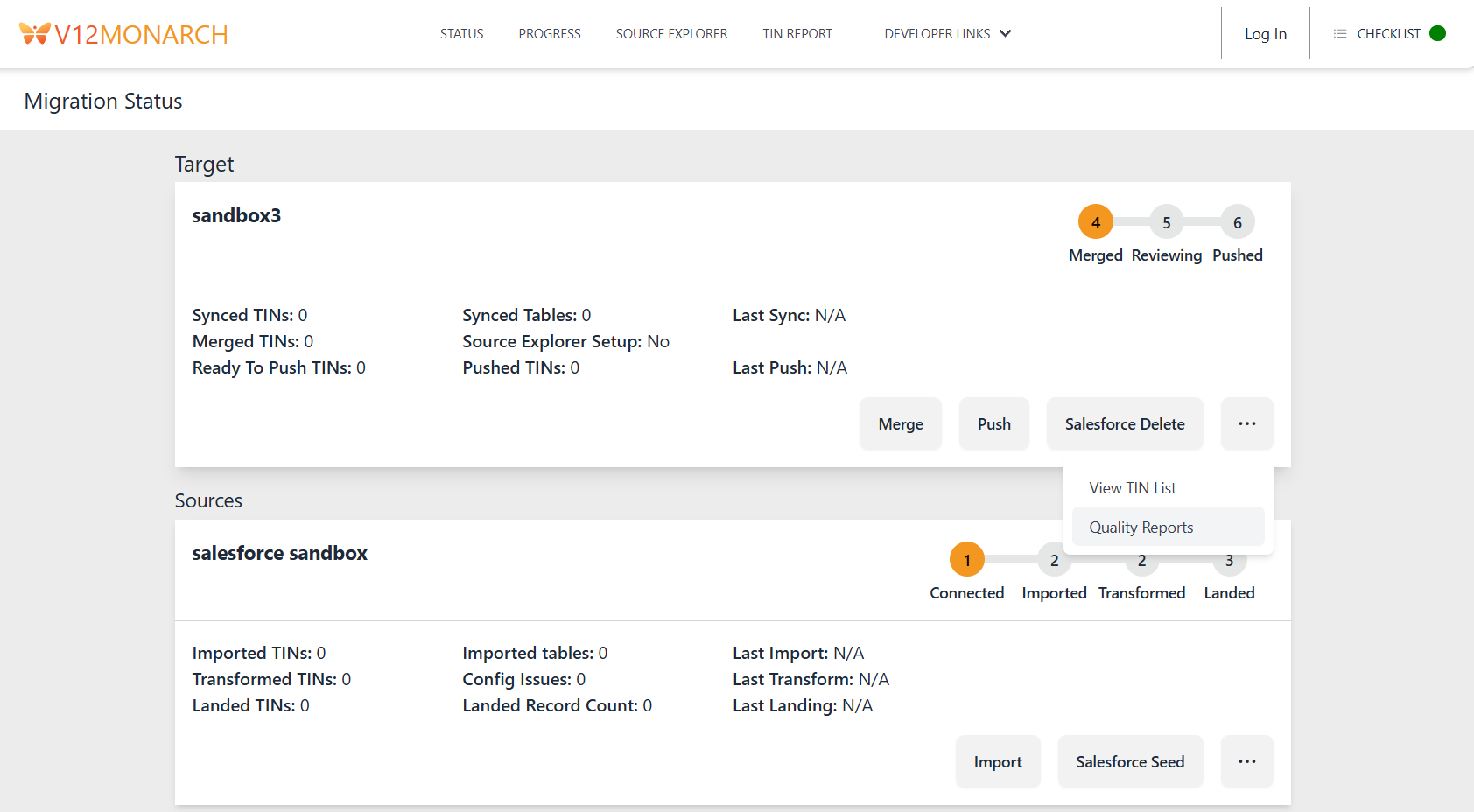
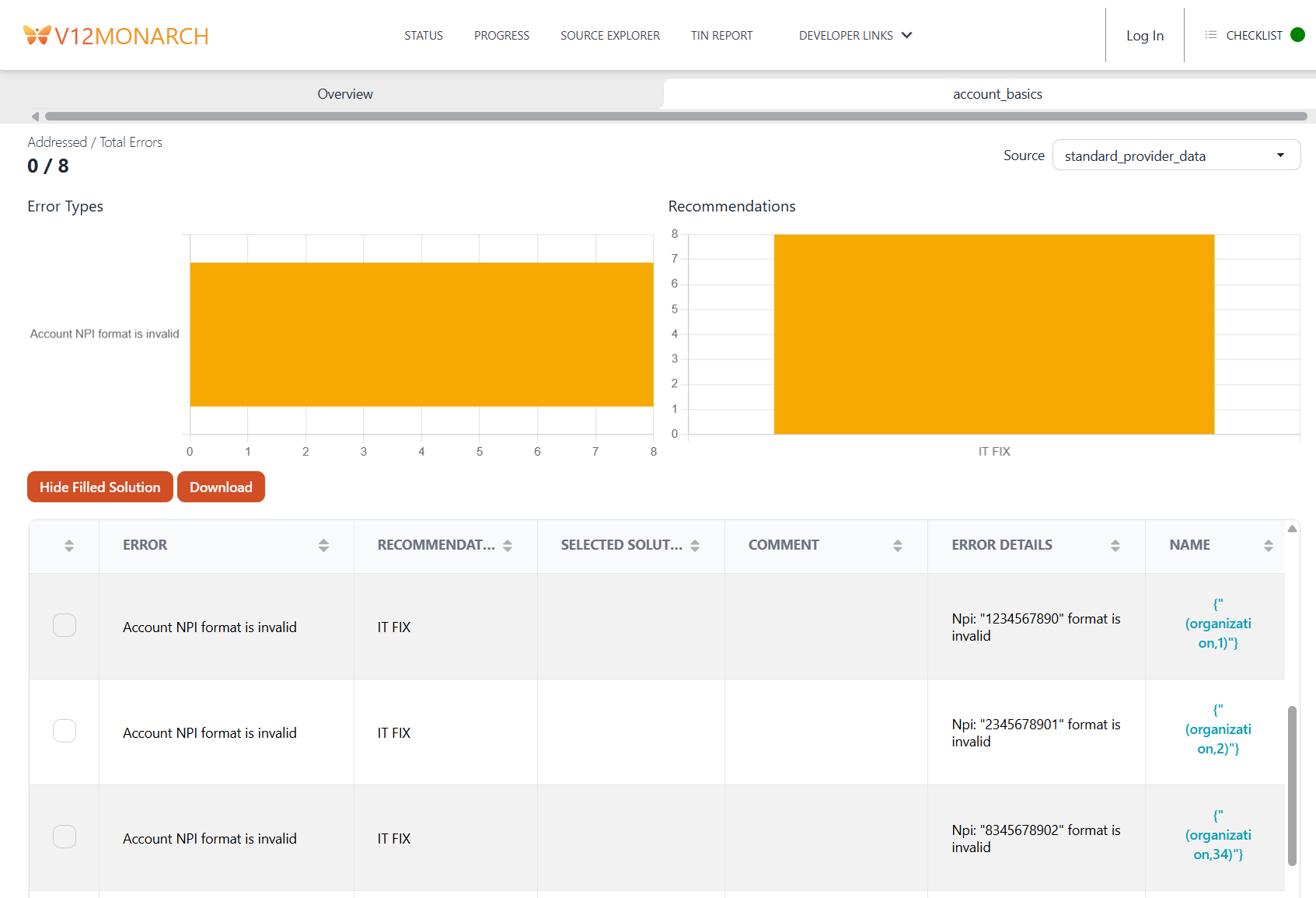
Once your dbt tests have been run, run DAG 05_generate_and_export_reports to generate Monarch's custom reports. This dag will create a version of each configured test in the custom_reports schema to populate the data on the reports screen. To view them, navigate to the status page, scroll to the desired source, click the ... button, then click "Quality Reports".
Debugging
Once values are in the custom_reports schema, they should appear in the UI. If you are not seeing results in the UI, confirm that the columns and settings in test_to_report_mapping and report_master are configured correctly.